
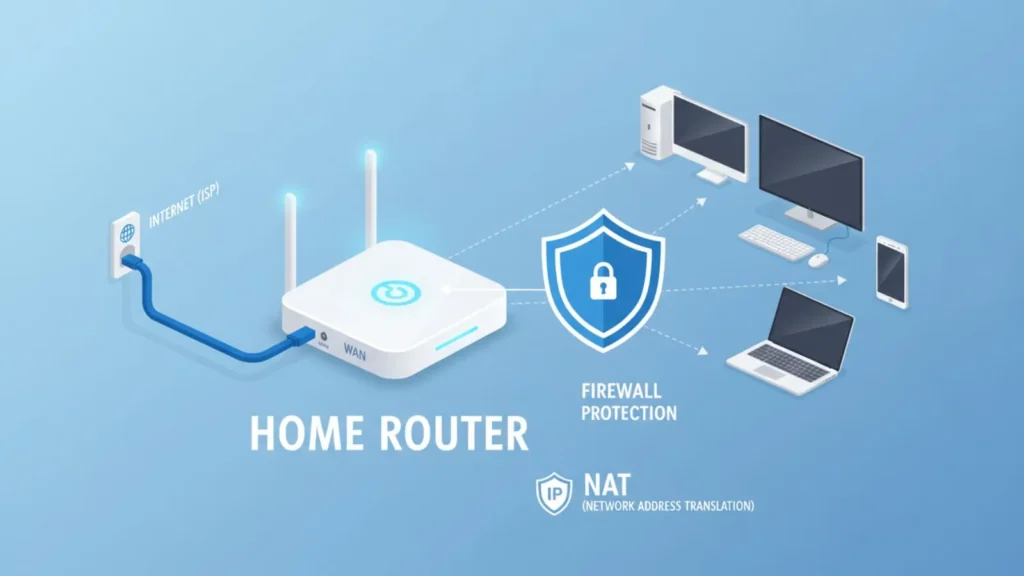
In today’s connected world, understanding what a router does is essential for anyone using the internet at home or in the office.
A router is a networking device that directs data between your devices and the internet, ensuring smooth communication across computers, smartphones, tablets, and smart home gadgets.
Many people confuse routers with modems, but while a modem connects you to the internet, a router distributes that connection to multiple devices.
Routers come in different types wired, wireless, and mesh each designed to suit specific needs, from basic home use to large office networks.
Beyond simply sharing an internet connection, modern routers manage network traffic, assign IP addresses, and provide essential security features like firewalls and encryption.
Whether you are streaming movies, gaming online, or working remotely, a reliable router plays a crucial role in maintaining fast, secure, and stable internet access.
Understanding its function helps you make informed choices for better connectivity.
What Is a Router
A router is a vital networking device that connects multiple devices to the internet and to each other within a local network. At its core, a router acts as a traffic manager, directing data packets from your internet service provider (ISP) to the right device, whether it’s a computer, smartphone, or smart home gadget. Unlike a modem, which simply brings internet connectivity into your home, a router ensures that every device can access that connection efficiently and simultaneously.
Routers have several essential components, including a processor, memory, antennas (for wireless models), and ports for wired connections. They operate using IP addresses to identify devices on the network and maintain smooth communication between them. Over time, routers have evolved from simple wired devices to advanced wireless and mesh routers capable of covering large areas with high-speed internet.
Routers are used in homes, offices, and data centers, making them indispensable in today’s digital world. Whether you are streaming videos, participating in video calls, or playing online games, the router ensures that your internet connection is stable, secure, and properly routed to the right devices. Understanding what a router is forms the foundation for learning what a router does.
What Does a Router Do?
At its core, a router’s primary job is to manage and direct internet traffic between devices and networks. When multiple devices are connected to the same internet connection, the router ensures that each device can send and receive data without conflicts. It does this by using IP addresses to identify every device on the network and by creating a communication path for data packets to travel efficiently.
Routers perform several important functions beyond simply sharing an internet connection. First, they assign local IP addresses to devices through a process called DHCP (Dynamic Host Configuration Protocol), which ensures that each device has a unique identifier on the network. They also act as a gateway, connecting your local devices to the wider internet. Additionally, routers manage data traffic to prevent congestion, prioritize certain types of traffic, and maintain stable connections even when many devices are online simultaneously.
Modern routers also include built-in security features, such as firewalls, encryption, and guest networks, protecting your data from unauthorized access. Whether you are browsing websites, streaming videos, or participating in online gaming, the router plays a crucial role in keeping your connection fast, reliable, and secure.
How a Router Works
A router works by directing data packets between your devices and the internet, ensuring that information reaches the correct destination efficiently. Every time you browse a website, stream a video, or send an email, data is broken into small packets. The router reads each packet’s destination IP address and decides the best path for it to travel. This process allows multiple devices to communicate simultaneously without interference.
Routers maintain a routing table, which acts like a map of the network, helping the device determine where to send each data packet. They also use a process called NAT (Network Address Translation) to convert private local IP addresses into a public IP address, allowing multiple devices to share a single internet connection safely.
Wireless routers add another layer of complexity by converting data into radio signals, enabling devices to connect over Wi-Fi. Antennas broadcast these signals, while the router manages signal strength, frequency bands (like 2.4 GHz and 5 GHz), and interference from other devices.
By combining these functions, a router ensures fast, reliable, and secure communication between devices and the internet. Understanding how a router works helps users appreciate its role in maintaining smooth network performance and effective data management.
Router vs Modem
Many people confuse routers and modems, but they serve different purposes in a network. A modem is the device that connects your home or office to the internet through your internet service provider (ISP). It translates the digital signals from your ISP into data that your devices can use. Without a modem, your internet connection simply wouldn’t exist.
On the other hand, a router distributes that internet connection to multiple devices, either through wired Ethernet cables or wireless Wi-Fi. It manages traffic between devices, assigns local IP addresses, and provides essential security features like firewalls and encryption. In simple terms, the modem brings the internet to your home, while the router ensures that all your devices can access it efficiently and safely.
Some devices combine both functions into a single modem-router unit, often provided by ISPs. While convenient, standalone routers generally offer more advanced features, faster speeds, and better coverage. Understanding the difference between a router and a modem is crucial for troubleshooting connectivity issues, optimizing network performance, and making informed decisions when purchasing networking equipment for home or business use.
Types of Routers
Routers come in several types, each designed to meet different networking needs. The most common type is the wired router, which connects devices using Ethernet cables. Wired routers are reliable, offering stable and fast connections, making them ideal for offices or gaming setups where consistent speed is critical.
Wireless routers are more popular in homes and small offices. They transmit data over Wi-Fi, allowing multiple devices to connect without physical cables. Wireless routers often operate on different frequency bands, such as 2.4 GHz for longer range and 5 GHz for faster speeds, ensuring flexibility in device connectivity.
Mesh routers are a newer technology designed for larger spaces or homes with Wi-Fi dead zones. They consist of multiple nodes that work together to provide seamless coverage across a wide area. Each node communicates with others, distributing the internet connection evenly and eliminating weak spots.
Other specialized routers include core routers, used by ISPs and data centers to handle large amounts of traffic, and edge routers, which connect different networks at the periphery of a network infrastructure. Understanding the different types of routers helps you choose the right one for your home, office, or specialized networking needs.
Wired vs Wireless Routers
When choosing a router, one of the most important decisions is whether to go with a wired or wireless model. Wired routers use Ethernet cables to connect devices directly, providing a stable and high-speed connection. They are ideal for gaming, video streaming, or office setups where performance and reliability are critical. Wired connections are less prone to interference and offer consistent speeds regardless of distance from the router.
Wireless routers, on the other hand, transmit data over Wi-Fi, allowing devices to connect without cables. They offer greater convenience, mobility, and ease of setup, making them perfect for homes with multiple smartphones, tablets, laptops, and smart devices. Modern wireless routers often support dual or tri-band frequencies, enabling faster speeds and reducing congestion on busy networks.
While wired routers excel in speed and stability, wireless routers provide flexibility and coverage for everyday use. Some homes and offices benefit from a hybrid setup, using a wired backbone for critical devices while allowing wireless access for mobile devices. Choosing the right router depends on your needs, the number of devices, and the balance between speed and convenience.
Wi-Fi and Routers Explained
Wi-Fi is the wireless technology that allows devices to connect to a router without cables. Modern routers convert internet data into radio signals that devices like smartphones, laptops, and smart home gadgets can receive. Understanding Wi-Fi is essential to knowing what a router does in a wireless network.
Routers operate on different frequency bands. The 2.4 GHz band covers a wider area and penetrates walls better, but it’s slower and more prone to interference. The 5 GHz band provides faster speeds and less interference but has a shorter range. Newer routers also support 6 GHz (Wi-Fi 6E), offering high-speed performance for modern devices. Dual-band and tri-band routers combine these frequencies to balance coverage and speed, reducing congestion when many devices are connected.
Wi-Fi standards, such as 802.11n, 802.11ac, and 802.11ax (Wi-Fi 6), determine speed, range, and overall performance. Routers with advanced standards support multiple devices simultaneously, using technologies like MU-MIMO (Multi-User, Multiple Input, Multiple Output) and beamforming, which focus signals directly toward devices for stronger connections.
By creating wireless networks, routers enable flexible, convenient internet access throughout your home or office, making connectivity seamless for every device.
Router Security Features
Routers do more than just connect devices they also protect your network from unauthorized access and cyber threats. Modern routers come with a variety of security features to keep your data safe. One of the most important is the firewall, which monitors incoming and outgoing traffic and blocks suspicious activity. Firewalls act as a barrier between your home network and potential online threats.
Routers also use encryption to secure wireless communication. Standards like WPA2 and WPA3 scramble data so hackers cannot easily intercept or read it. Additionally, routers allow users to set strong passwords for Wi-Fi access, limiting connections to trusted devices only. MAC address filtering is another layer of protection, permitting only registered devices to join the network.
Many routers include guest network functionality, which provides visitors with internet access without giving them access to your main network. Regular firmware updates are also critical, as they patch vulnerabilities and improve overall security.
By combining these features, routers safeguard personal data, prevent unauthorized access, and protect connected devices. A secure router ensures that your internet usage—whether for work, entertainment, or smart home devices—is safe from cyber threats.
Benefits of Using a Router
Routers provide numerous benefits, making them essential for modern internet connectivity. One of the primary advantages is sharing a single internet connection among multiple devices. Without a router, each device would require its own connection, which is impractical and expensive for homes and offices.
Another key benefit is network security. Routers act as a barrier between your devices and the internet, using firewalls, encryption, and password protection to prevent unauthorized access. Features like guest networks allow visitors to connect safely without compromising your main network.
Routers also manage network traffic efficiently. They assign IP addresses, prioritize bandwidth for important tasks (like streaming or gaming), and reduce congestion, ensuring stable performance even with many devices online. Technologies such as QoS (Quality of Service) enhance this capability, allowing critical applications to get priority access to the network.
Additionally, routers support smart home devices, enabling automation, monitoring, and remote control of gadgets like security cameras, thermostats, and voice assistants. They also provide flexibility and convenience, as wireless routers allow devices to connect from anywhere within coverage areas, eliminating the need for cumbersome cables.
In short, routers make internet access faster, safer, and more reliable, enhancing the overall digital experience for users at home or in the workplace.
FAQs
1. What does a router do in simple terms?
A router directs internet traffic between devices and the internet. It ensures each device receives data correctly and securely.
2. Do I need a router for Wi-Fi?
Yes. While a modem brings internet to your home, a router distributes it to multiple devices via Wi-Fi or Ethernet.
3. Can a router work without a modem?
Routers can manage local networks without a modem, but you won’t have internet access unless a modem or internet source is connected.
4. How many devices can a router handle?
It depends on the router type. Home routers usually support 10–50 devices, while advanced routers or mesh systems can support more.
5. How do I secure my router?
Use strong passwords, enable WPA2/WPA3 encryption, keep firmware updated, and configure firewalls and guest networks to protect your network.
6. What is the difference between a router and a modem?
A modem connects you to the internet; a router distributes that connection to multiple devices and manages network traffic.
Conclusion
Understanding what a router does is essential in today’s connected world. Routers are more than simple internet distributors they manage data, assign IP addresses, and maintain network security. They come in various types, from wired and wireless to advanced mesh systems, each designed to meet specific connectivity needs.
Routers improve internet performance by efficiently directing traffic and preventing data congestion, ensuring all devices enjoy stable and fast connections. They also provide security features such as firewalls, encryption, and guest networks, protecting personal information and smart home devices from cyber threats.
Choosing the right router depends on your household or office requirements, including the number of devices, coverage area, and desired speed. Modern routers also support advanced technologies like dual-band or tri-band frequencies, MU-MIMO, and QoS, which enhance performance for streaming, gaming, and remote work.
In summary, routers are an essential part of modern digital life. Whether for home, office, or larger networks, a well-chosen and properly secured router ensures reliable, fast, and safe internet access for every connected device, making it a crucial tool for productivity, entertainment, and communication.